What Is Programming? A Simple Explanation for Beginners
Programming is a way of sending instructions to computers or machines. Today, we typically use a programming language that humans can read and understand, and that language is then translated into something the computer can work with.
Computer language is usually binary, which is made up of two states: on and off, also known as 1 and 0.
What Is C++ Programming and Why Is It Still Used Today?
C++ is a programming language created in 1985 by Danish computer scientist Bjarne Stroustrup. It is an extension of an older programming language called C.
C is known as a procedural programming language, which means you give the computer very specific, step-by-step instructions.
C++, on the other hand, is an object-oriented programming language. This allows programmers to group related data together into meaningful structures.
Example:
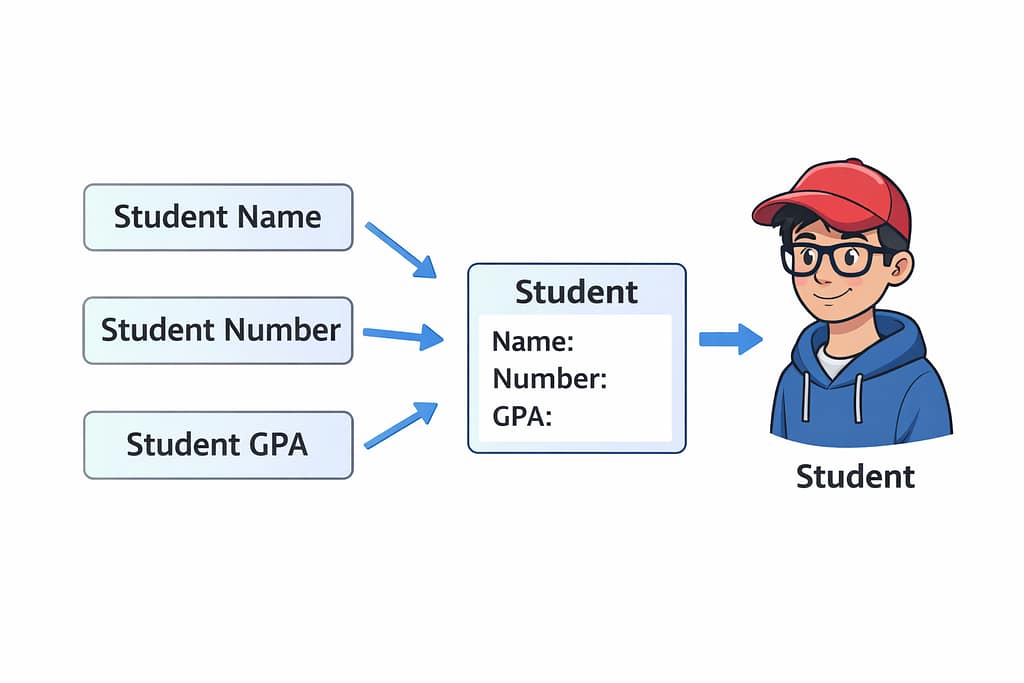
A student’s name, student number, and GPA can all be grouped into a single Student object, with each piece of information becoming an attribute of that student.
C vs C++: What’s the Difference for New Programmers?
- C focuses on functions and step-by-step logic
- C++ adds the ability to group data and behavior together using objects
This makes C++ easier to organize as programs get larger and more complex.
Why Learn C++ as Your First Programming Language?
C++ is a great language to learn because it is a higher-level language than C, which generally makes it easier and more pleasant to write.
What makes C++ unique compared to many other high-level languages is that it works very closely with your computer’s memory.
Because of this close access, C++ programs can run very fast and are often used in situations where performance matters.
How C++ Works with Computer Memory (In Plain English)
Think of it like working in an office.
If you have direct access to everyone’s email address, you can contact anyone immediately and get a fast response.

Many other programming languages work more like using a secretary. You send your message to the secretary, who then forwards it to the correct person. This can still be quick, but if the secretary is busy, things may slow down.
C++ gives you more direct control, which can lead to better performance—but also requires more care from the programmer.
What Do You Need to Start Coding in C++?
To start programming in C++, you’ll need:
- A computer
- A text editor (even Notepad can work)
- A C++ compiler installed
How to Write and Run Your First C++ Program
(This is one way to do it. Feel free to read through the steps, but don’t worry about trying this just yet. We’ll use an easier method later.)
- Create a folder to work in
- Create a new file and give it a .cpp extension (for example,
firstProgram.cpp) - Open the file and write a simple program (see screenshot)

- Save the file (this step is often forgotten)
- Open the Command Prompt by pressing the Windows button and typing
cmd - Navigate to your folder using the
cdcommand- Example:
cd C:\Users\MyPC\Desktop\Teaching Winter 2026\Week1\Simple C++ Program
- Example:
- Run the compiler command (this can vary by operating system):
- Example:
g++ filename.cpp
- Example:
If there are no errors, the program will build successfully.
- Errors will appear in the Command Prompt if something went wrong

- If successful, the compiler creates an executable file (usually called
a.exe) - Run it by typing
a.exeand you should see your output, such as “Hello World”
Should Beginners Use an IDE for C++ Programming?
You can program this way, but it’s not recommended for beginners.
Instead, we’ll use an IDE (Integrated Development Environment). An IDE handles most of these steps for you and makes programming much easier. It also includes tools that help with writing code, finding mistakes, and debugging programs.
The Stages of Programming in C++ (From Code to Program)
Let’s break down what happens behind the scenes:

1) Source Code
The .cpp file you write is called source code. This is the human-readable version of your program.
2) Preprocessing
Before compiling, the program:
- Checks
#includestatements - Processes macros
- Handles conditional code
- Adjusts for different operating systems
3) Compilation
The compiler checks your code for syntax errors—similar to spelling and grammar checks.
If everything looks good, it converts the code into assembly code (.s file).
4) Assembly
Assembly code is converted into binary machine code (.o file) that the computer understands.
5) Linking
All program files and libraries are connected together so they can work as one complete program.
6) Execution
An executable file is created. This is the program you can run to perform tasks.
GeeksforGeeks. (2026, January 2). C++ Compilation process. GeeksforGeeks. https://www.geeksforgeeks.org/cpp/how-to-compile-a-cpp-program-using-gcc/
Quiz Time!
What’s up Next?
In the next post, we will be exploring an IDE (Integrated Development Environment) a tool that can help programming be a nicer experience.
Glossary of Terms
Binary
A system using only two values: 0 and 1 (off and on).
Compiler
A program that translates human-written code into machine-readable instructions.
Executable
A file that can be run to perform a program’s instructions.
IDE (Integrated Development Environment)
Software that helps you write, build, and debug programs in one place.
Object-Oriented Programming
A programming style that groups related data and behavior together.
Procedural Programming
A programming style focused on step-by-step instructions.
Source Code
The code written by a programmer that humans can read.
Syntax
The rules of a programming language, similar to grammar in written language.
Note: This content was written by Nathan Misener. A.I. was used to generate some images and it was used to improve flow and SEO of the post.